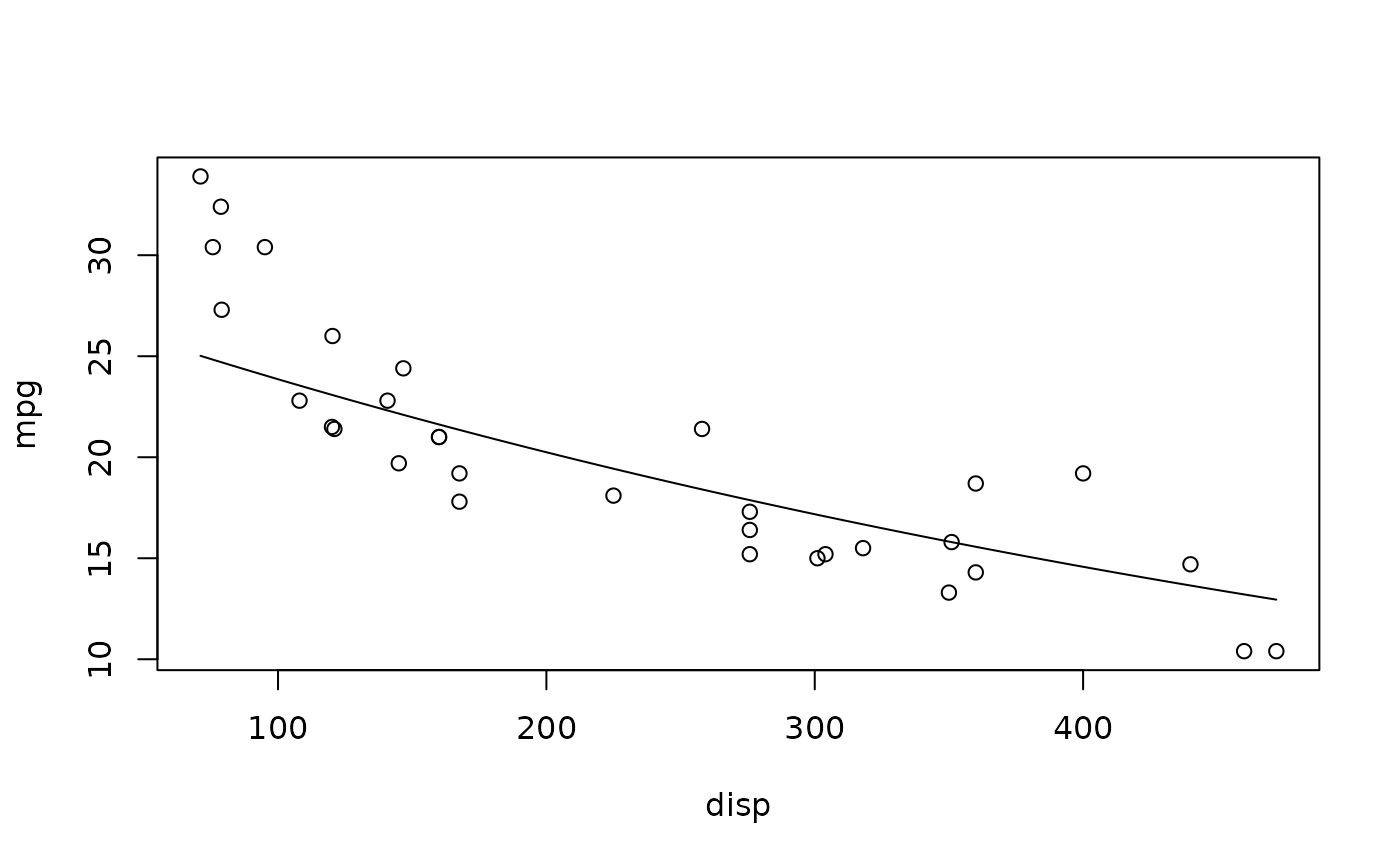
Take a slice from a linear model and add the displayed graph to a preexisting R plot. This function is similar to slice_2d() but adds a line to an existing plot rather than creating a new one. Useful for overlaying multiple model slices or adding model predictions to scatter plots.
Usage
add_slice_2d(
  model,
  x_axis = NA,
  n = 100,
  caption = FALSE,
  back_transform = TRUE,
  interval = "none",
  ...,
  xaxis = NULL
)
Arguments
- model
A linear model
- x_axis
A non-required specification of the x-axis variable; default is the first x var in the lm. May also be an expression of the model's predictors, such as
x_axis = "x * x_pos", in which case predictions are made at the model's own data points and placed at the expression's value.- n
Number of displayed points; default is 100
- caption
Boolean to include caption with values of predictor variables not shown in the chart, FALSE by default
- back_transform
How to map predictions onto the y-axis when the model's response is transformed. Default
TRUEauto-detects from the model formula;FALSEturns back-transformation off; a one-argument function (e.g.exp) or a name ("log","log10","log2","sqrt","exp","inverse") applies that transformation.- interval
Draw a shaded band around the line:
"none"(default), or"confidence"/"prediction"for the correspondingpredict.lm()interval.- ...
Remaining vars (color, linetype, etc.)
- xaxis
Deprecated; use
x_axisinstead.
Examples
model <- lm(log(mpg) ~ disp + hp, data = mtcars)
plot(mpg ~ disp, data = mtcars)
add_slice_2d(model)
#> X-axis not specified - Used first x variable as x-axis
#> To specify, use 'x_axis = "var_name"' such as 'x_axis = "disp"'
#> Value for `hp` not specified - Used mean: 146.7
#> To specify, use 'var_name = value', such as 'hp = 146.7'
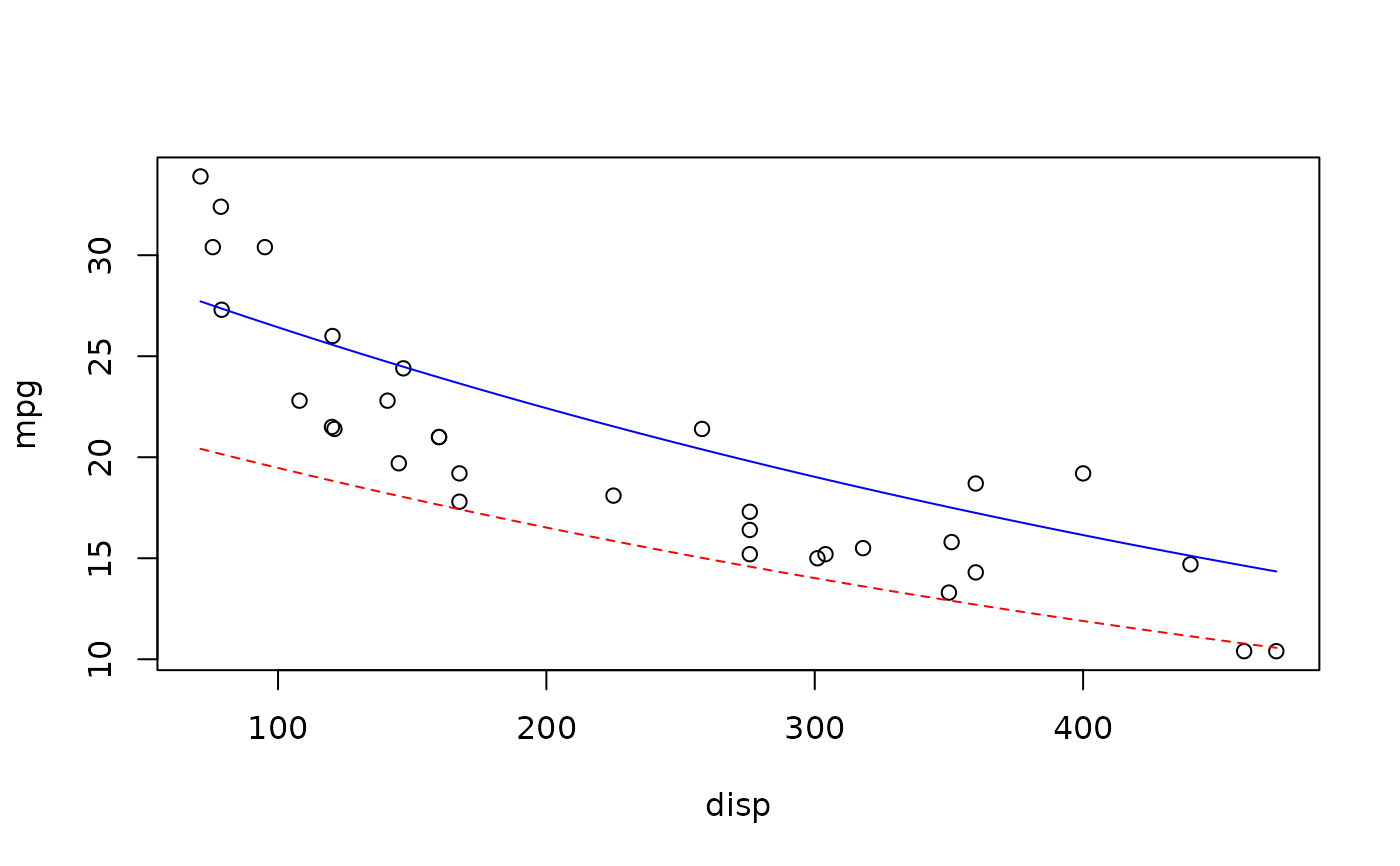
 # Multiple slices on one plot
plot(mpg ~ disp, data = mtcars)
add_slice_2d(model, hp = min(mtcars$hp), col = "blue")
#> X-axis not specified - Used first x variable as x-axis
#> To specify, use 'x_axis = "var_name"' such as 'x_axis = "disp"'
add_slice_2d(model, hp = max(mtcars$hp), col = "red", lty = 2)
#> X-axis not specified - Used first x variable as x-axis
#> To specify, use 'x_axis = "var_name"' such as 'x_axis = "disp"'
# Multiple slices on one plot
plot(mpg ~ disp, data = mtcars)
add_slice_2d(model, hp = min(mtcars$hp), col = "blue")
#> X-axis not specified - Used first x variable as x-axis
#> To specify, use 'x_axis = "var_name"' such as 'x_axis = "disp"'
add_slice_2d(model, hp = max(mtcars$hp), col = "red", lty = 2)
#> X-axis not specified - Used first x variable as x-axis
#> To specify, use 'x_axis = "var_name"' such as 'x_axis = "disp"'