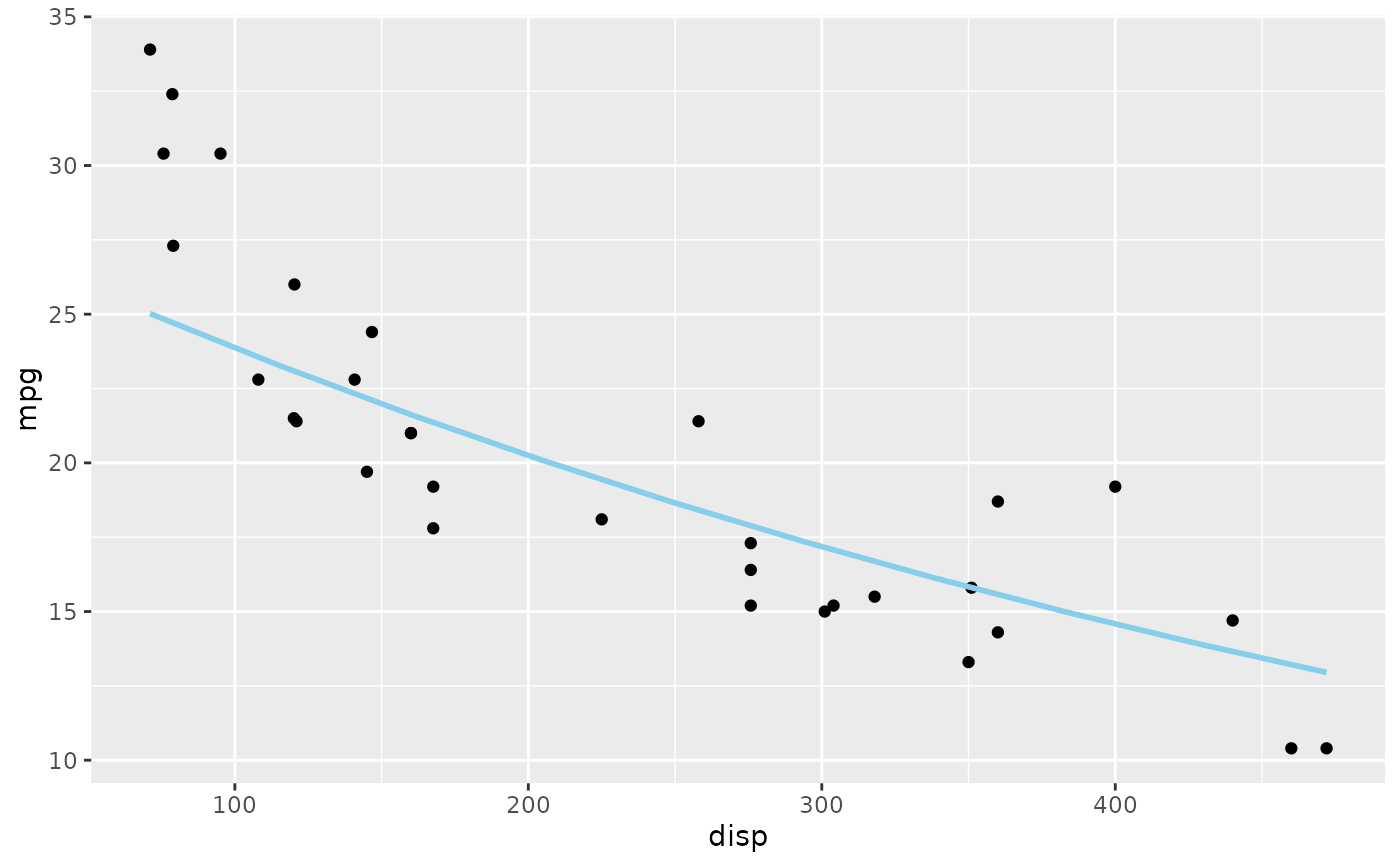
geom_slice() draws the prediction line of a fitted lm() on a ggplot —
a 2D slice of a possibly high-dimensional model. It looks like
ggplot2::geom_smooth(), but where geom_smooth() fits its own model to
the plotted data, geom_slice() draws your model. The predictor mapped to
the plot's x-axis varies along the line; every other predictor is fixed,
and geom_slice() reports how, so it is always clear which slice of the
model you are looking at:
Usage
geom_slice(
  model,
  n = 100,
  inherit.aes = TRUE,
  predict_vars = list(),
  back_transform = NULL,
  interval = "none",
  band = FALSE,
  full_range = FALSE,
  ...,
  fullrange = NULL
)
Arguments
- model
A linear model fitted by
lm().- n
Number of prediction points along the line (default 100).
- inherit.aes
If
TRUE(default), inherit aesthetics from theggplot()call.- predict_vars
A named list of values at which to hold predictors not shown on the plot, such as
predict_vars = list(hp = 110). Unlisted predictors are imputed (with a message). Giving a variable several values draws one line per value, and several multi-value variables are crossed:predict_vars = list(x2 = c(1, 2, 3), x3 = c(1, 4))draws 6 lines.- back_transform
How to map predictions onto the y-axis when the model's response is transformed. Default
NULL(andTRUE) auto-detects from the model formula;FALSEturns back-transformation off; a one-argument function (e.g.exp) or a name ("log","log10","log2","sqrt","exp","inverse") applies that transformation.- interval
Draw a ribbon around the line:
"none"(default), or"confidence"/"prediction"for the correspondingpredict.lm()interval. The ribbon follows its line's color unless you setfill. Cannot be combined withband.- band
Draw a projection band — two edge slices with a translucent ribbon between them — instead of a single line.
band = "variable"spans that predictor: between the values you gave inpredict_vars(e.g.predict_vars = list(x2 = c(1, 4))), or its observed data range whenpredict_varsleaves it out.band = TRUEinfers the variable: the one multi-valuepredict_varsentry, or the single predictor the plot does not otherwise show. DefaultFALSE.- full_range, fullrange
If
TRUE, each line spans the full x range of the panel instead of stopping at its group's own data range (likefullrangeinggplot2::geom_smooth();fullrangeis accepted as an alias). DefaultFALSE. Only applies when the x-axis maps a single predictor; with a composite x-axis expression predictions are made at the data points, so the lines keep their data extent.- ...
Other arguments passed to the layer, such as fixed aesthetics (
color = "red",linewidth = 1.2).
Details
Variables named in
predict_varsare held at your chosen values.Variables mapped to a grouping aesthetic (e.g.
aes(color = g)) are pinned to each group's own value — one line per group. Anyintervalorbandribbon is drawn in its own line's color.Facet variables are pinned to each panel's value.
Anything left over is imputed (mean for numeric, most common value for factor/character), with a console message naming the value used.
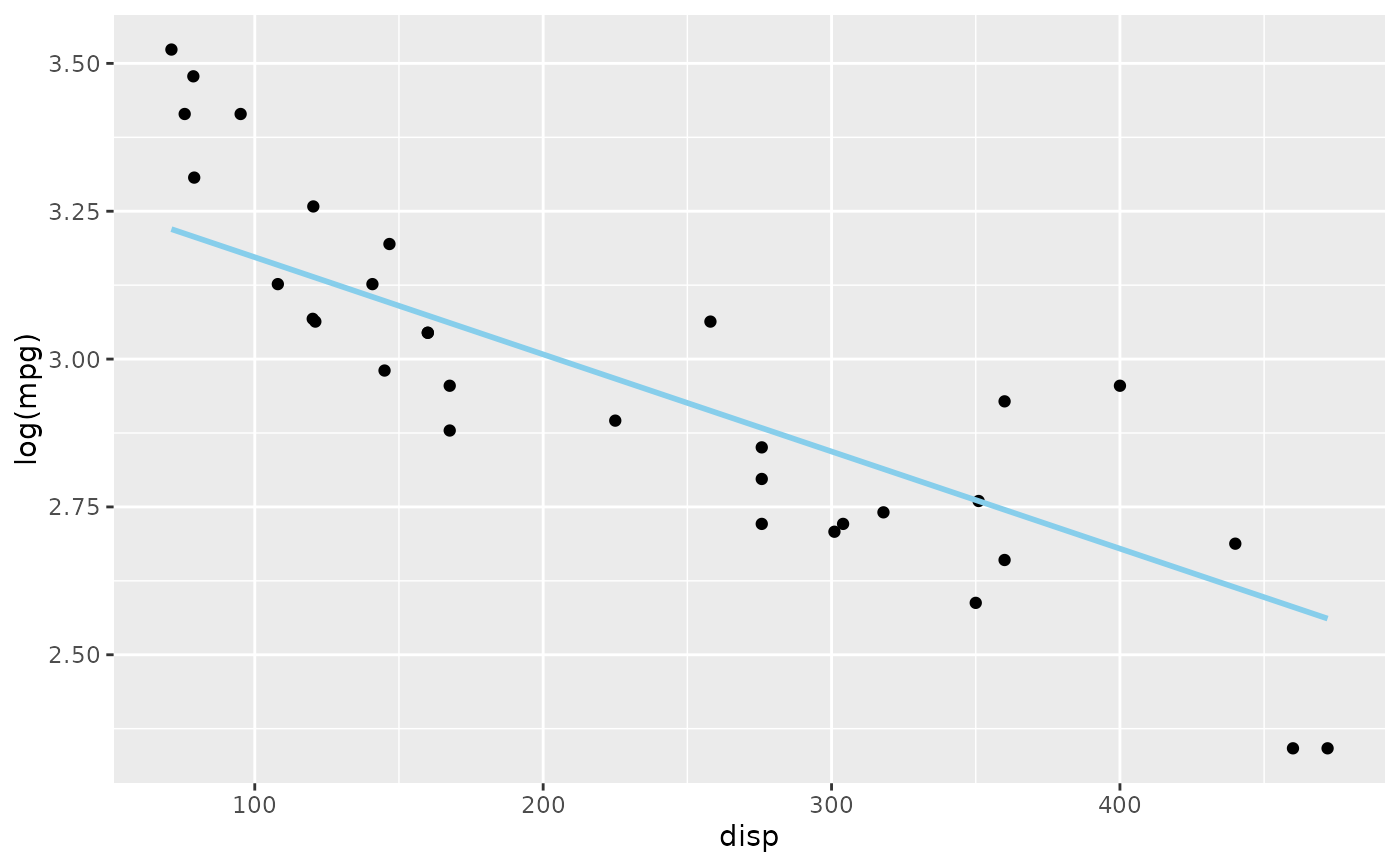
If the model's response is transformed (e.g. lm(log(y) ~ x)) but the plot
shows raw y, predictions are automatically back-transformed to match the
y-axis (a message says so). Axis expressions (aes(log(y)), aes(x * x2))
and transformed scales (scale_x_log10()) are also handled.
See also
geom_slice_text()to label each line with the values that produced it.geom_slice_subtitle()/geom_slice_caption()to describe the slice (model equation, held values) in the plot's subtitle or caption.autoplot.lm()for a complete data-plus-slice plot in one call.ggplot2::geom_smooth(), which this layer resembles, except that it draws a model you fitted rather than fitting its own.
Examples
library(ggplot2)
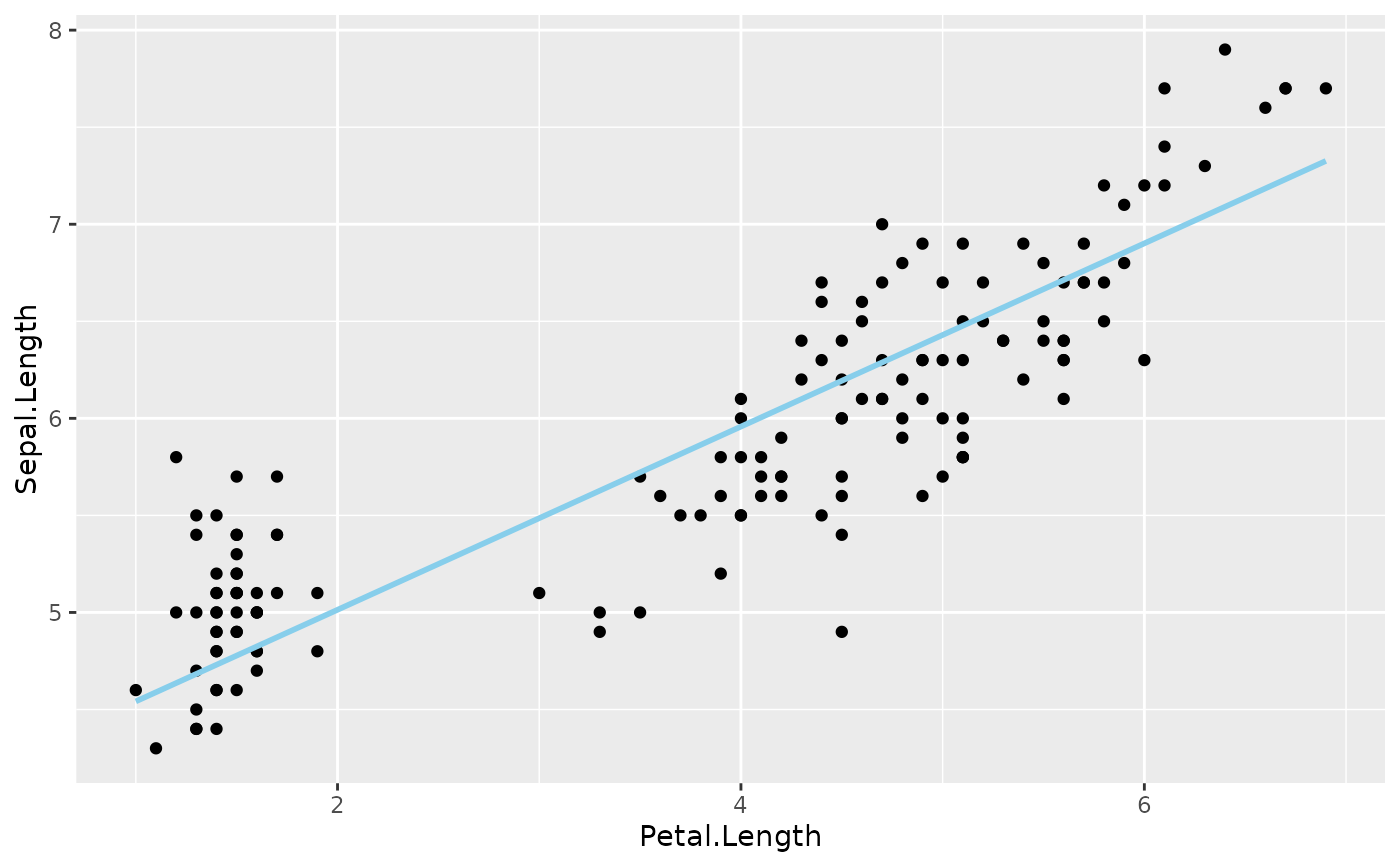
# Basic use, like geom_smooth() but drawing *your* model. Sepal.Width is
# not on the plot, so it is held at its mean (a console message says so).
model <- lm(Sepal.Length ~ Sepal.Width + Petal.Length, data = iris)
ggplot(iris, aes(Petal.Length, Sepal.Length)) +
geom_point() +
geom_slice(model)
#> Value for `Sepal.Width` not specified - Used mean: 3.057
#> To choose a slice, use 'predict_vars = list(Sepal.Width = 3.057)'.
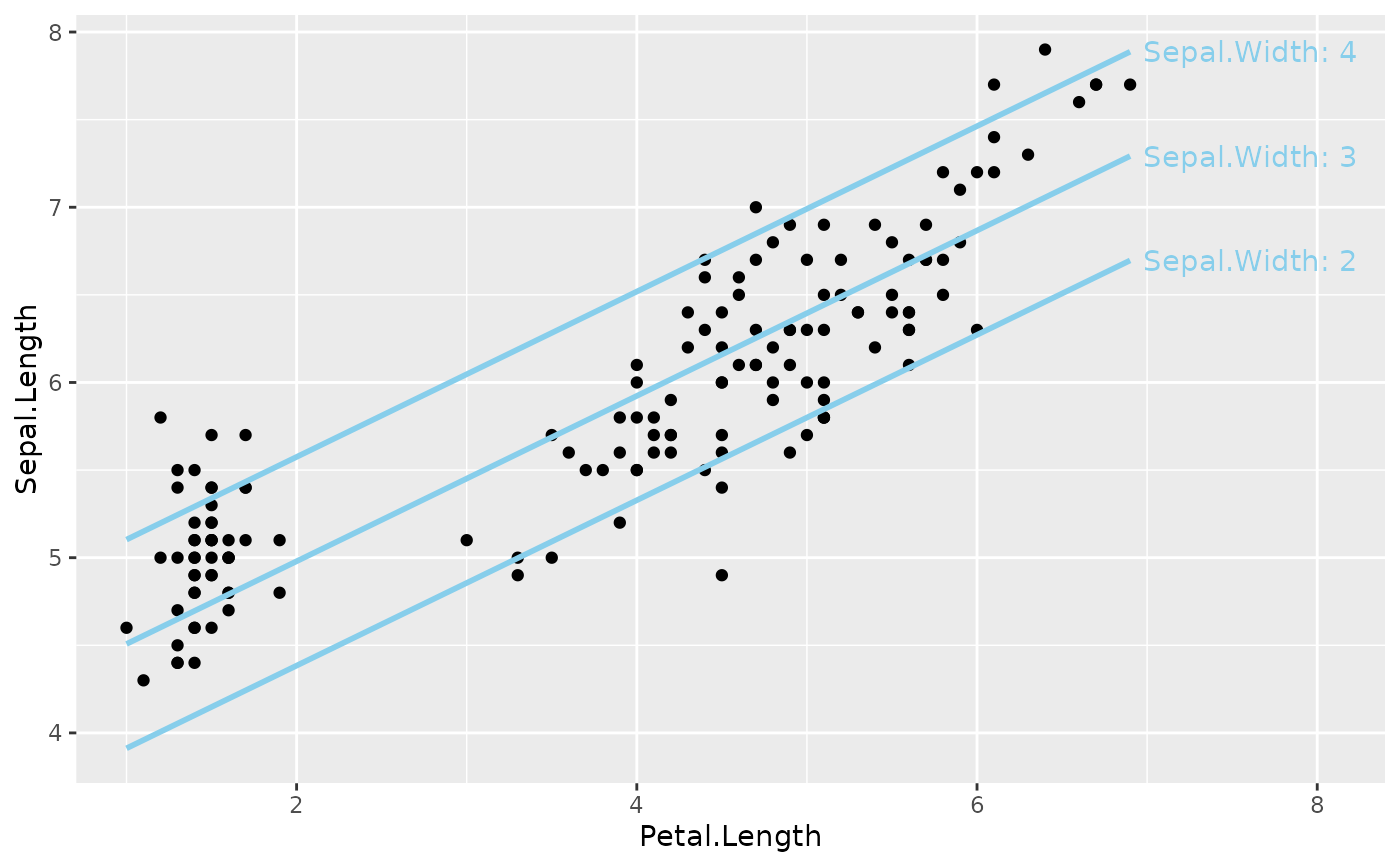
 # Several values draw one line per value (label them with
# geom_slice_text()); several multi-value variables are crossed
ggplot(iris, aes(Petal.Length, Sepal.Length)) +
geom_point() +
geom_slice(model, predict_vars = list(Sepal.Width = c(2, 3, 4))) +
geom_slice_text()
# Several values draw one line per value (label them with
# geom_slice_text()); several multi-value variables are crossed
ggplot(iris, aes(Petal.Length, Sepal.Length)) +
geom_point() +
geom_slice(model, predict_vars = list(Sepal.Width = c(2, 3, 4))) +
geom_slice_text()
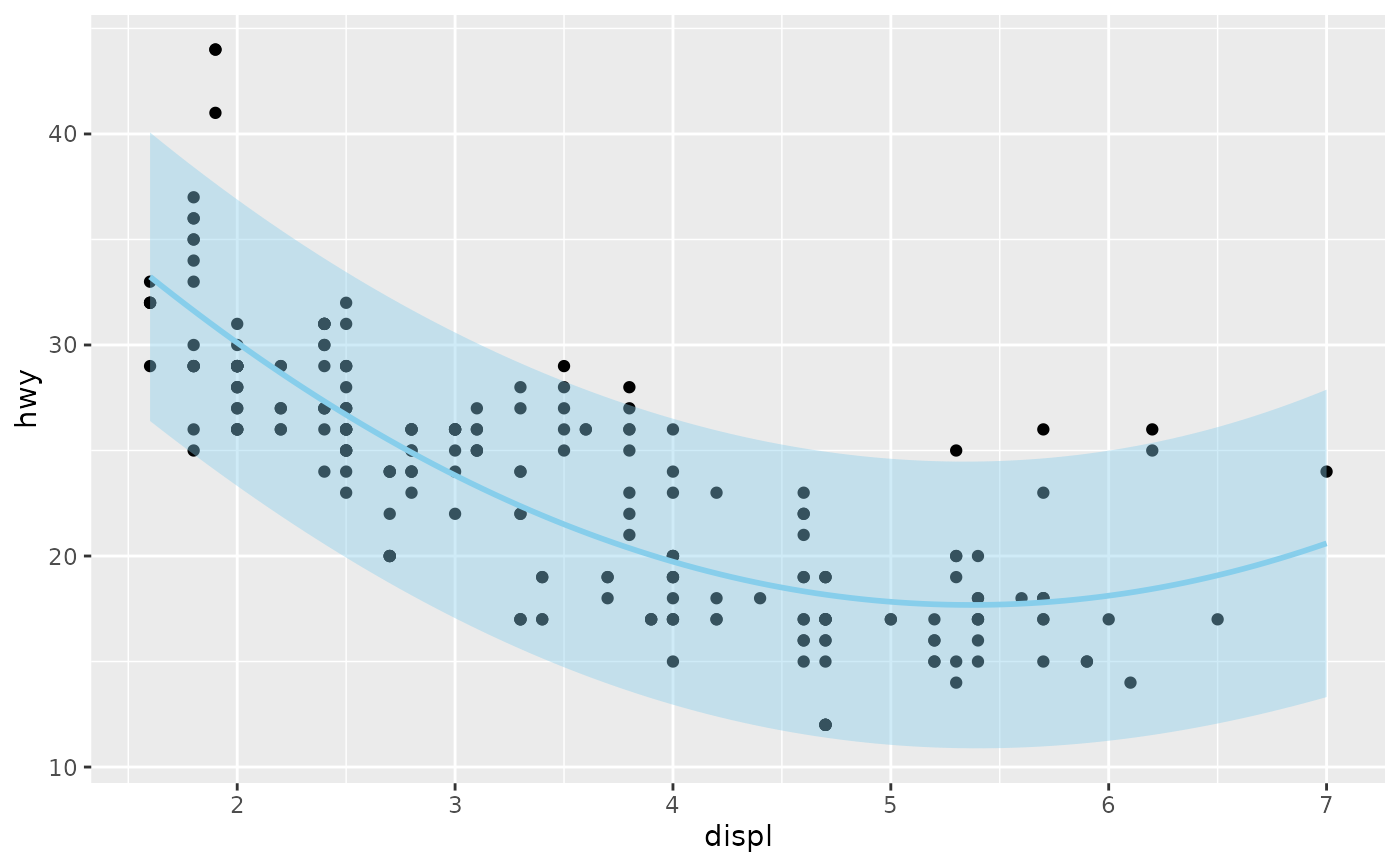
 # Confidence or prediction ribbon around the line
model2 <- lm(hwy ~ displ + I(displ^2), data = mpg)
ggplot(mpg, aes(displ, hwy)) +
geom_point() +
geom_slice(model2, interval = "prediction")
# Confidence or prediction ribbon around the line
model2 <- lm(hwy ~ displ + I(displ^2), data = mpg)
ggplot(mpg, aes(displ, hwy)) +
geom_point() +
geom_slice(model2, interval = "prediction")
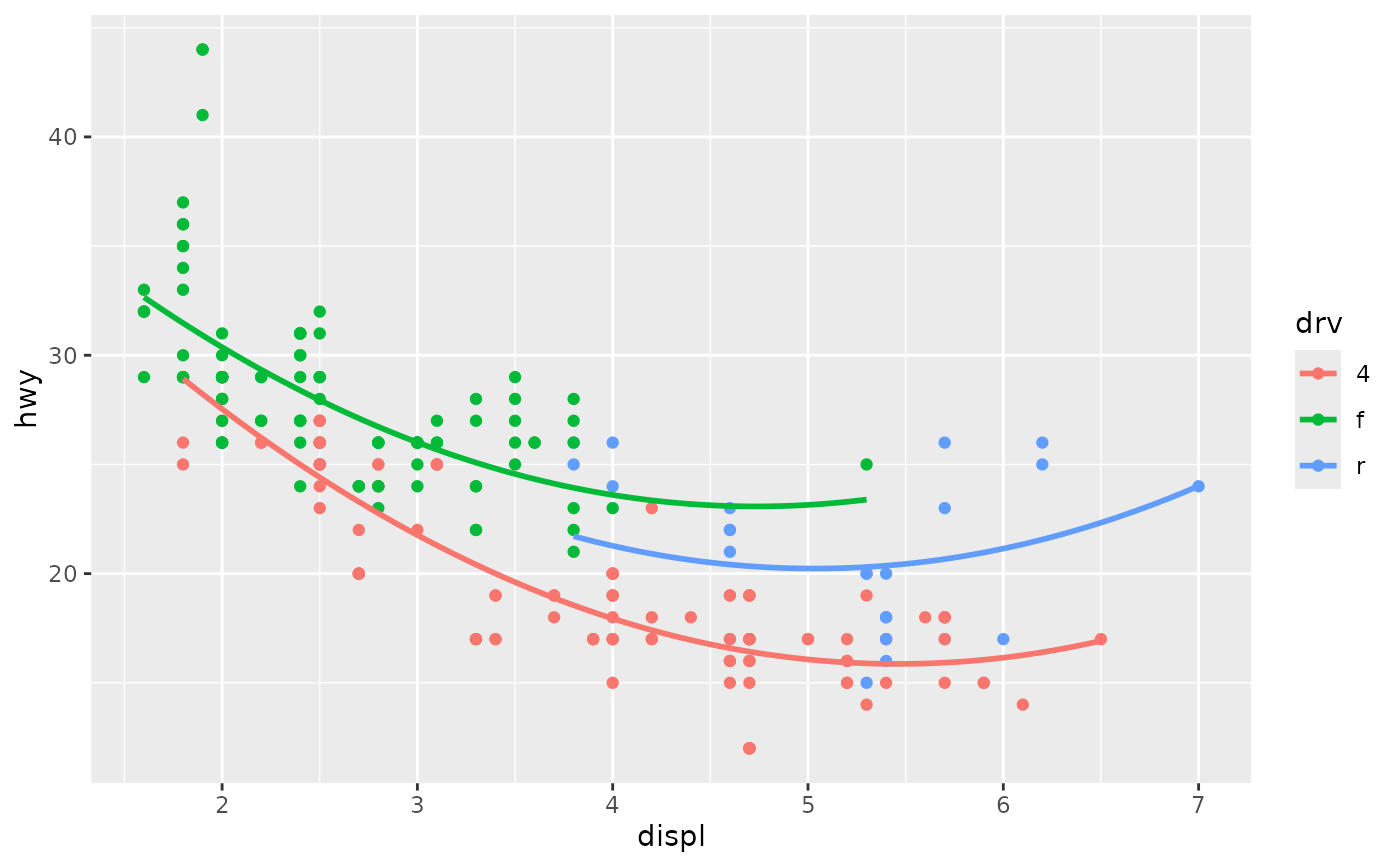
 # A grouping aesthetic pins its predictor to each group's own value:
# one line per drive type, each stopping at the end of its group's data
model3 <- lm(hwy ~ displ + I(displ^2) + displ:drv, data = mpg)
ggplot(mpg, aes(displ, hwy, color = drv)) +
geom_point() +
geom_slice(model3)
# A grouping aesthetic pins its predictor to each group's own value:
# one line per drive type, each stopping at the end of its group's data
model3 <- lm(hwy ~ displ + I(displ^2) + displ:drv, data = mpg)
ggplot(mpg, aes(displ, hwy, color = drv)) +
geom_point() +
geom_slice(model3)
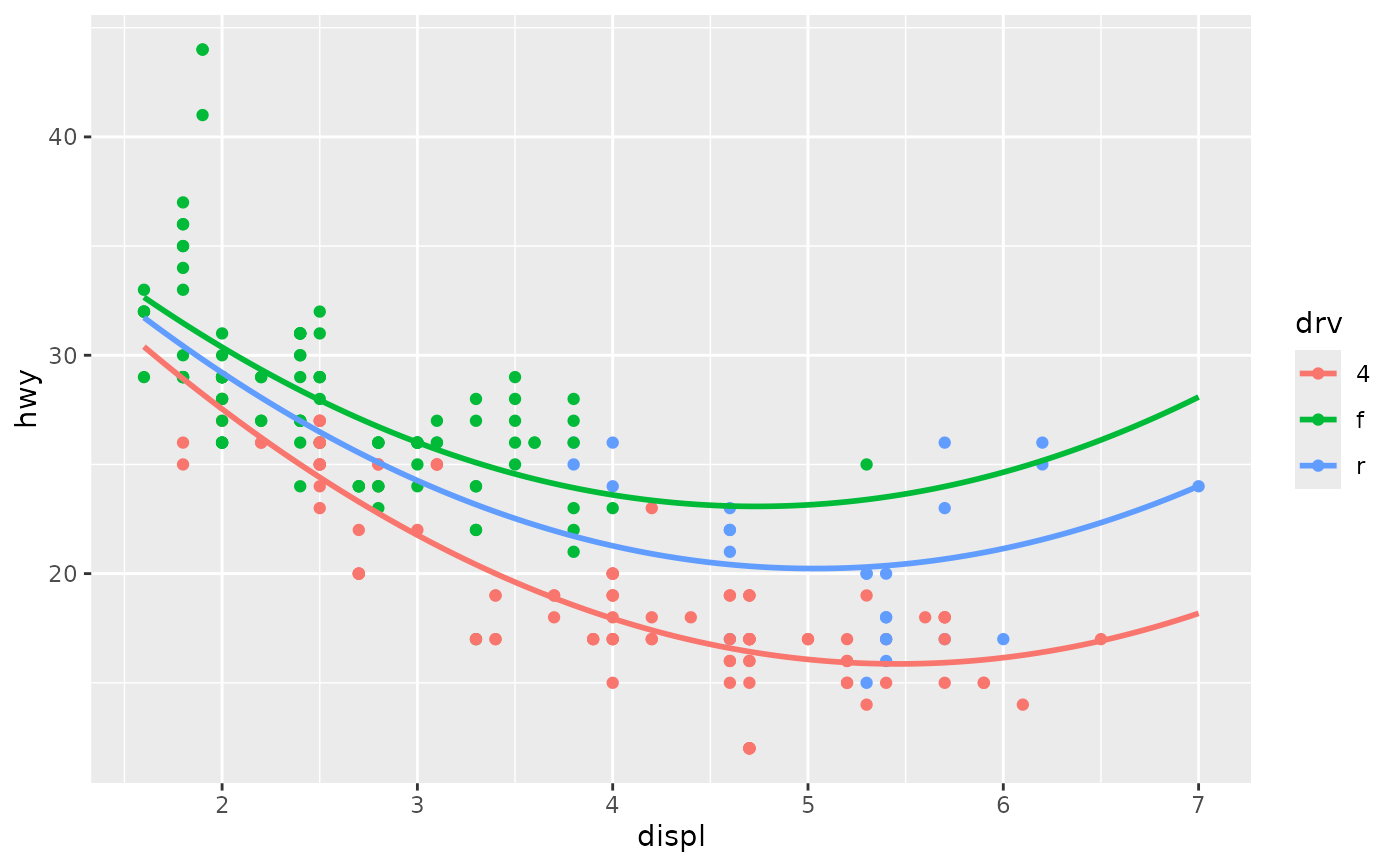
 # full_range = TRUE extends each group's line across the whole panel
ggplot(mpg, aes(displ, hwy, color = drv)) +
geom_point() +
geom_slice(model3, full_range = TRUE)
# full_range = TRUE extends each group's line across the whole panel
ggplot(mpg, aes(displ, hwy, color = drv)) +
geom_point() +
geom_slice(model3, full_range = TRUE)
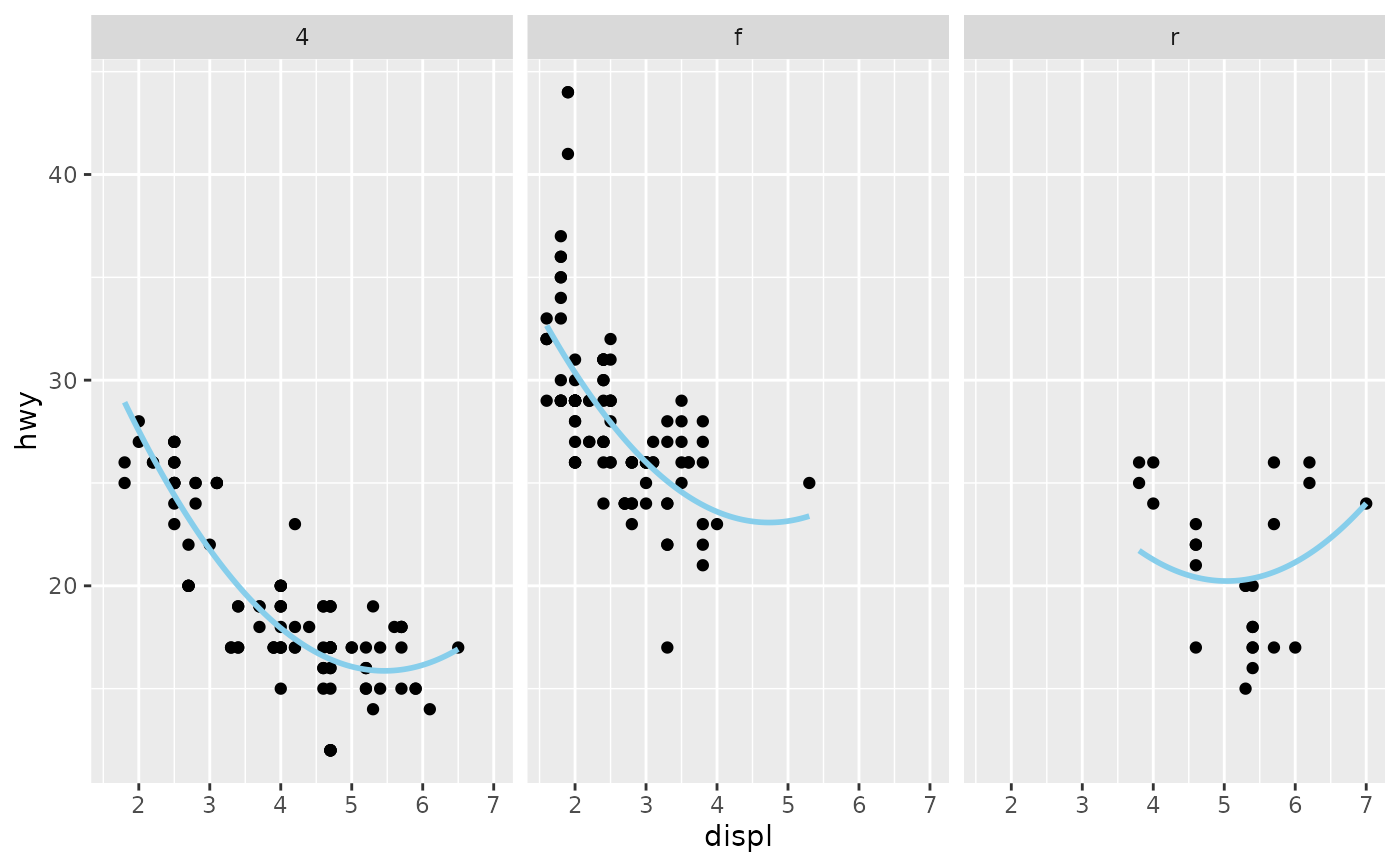
 # Facet variables pin per panel the same way
ggplot(mpg, aes(displ, hwy)) +
geom_point() +
geom_slice(model3) +
facet_wrap(~drv)
# Facet variables pin per panel the same way
ggplot(mpg, aes(displ, hwy)) +
geom_point() +
geom_slice(model3) +
facet_wrap(~drv)
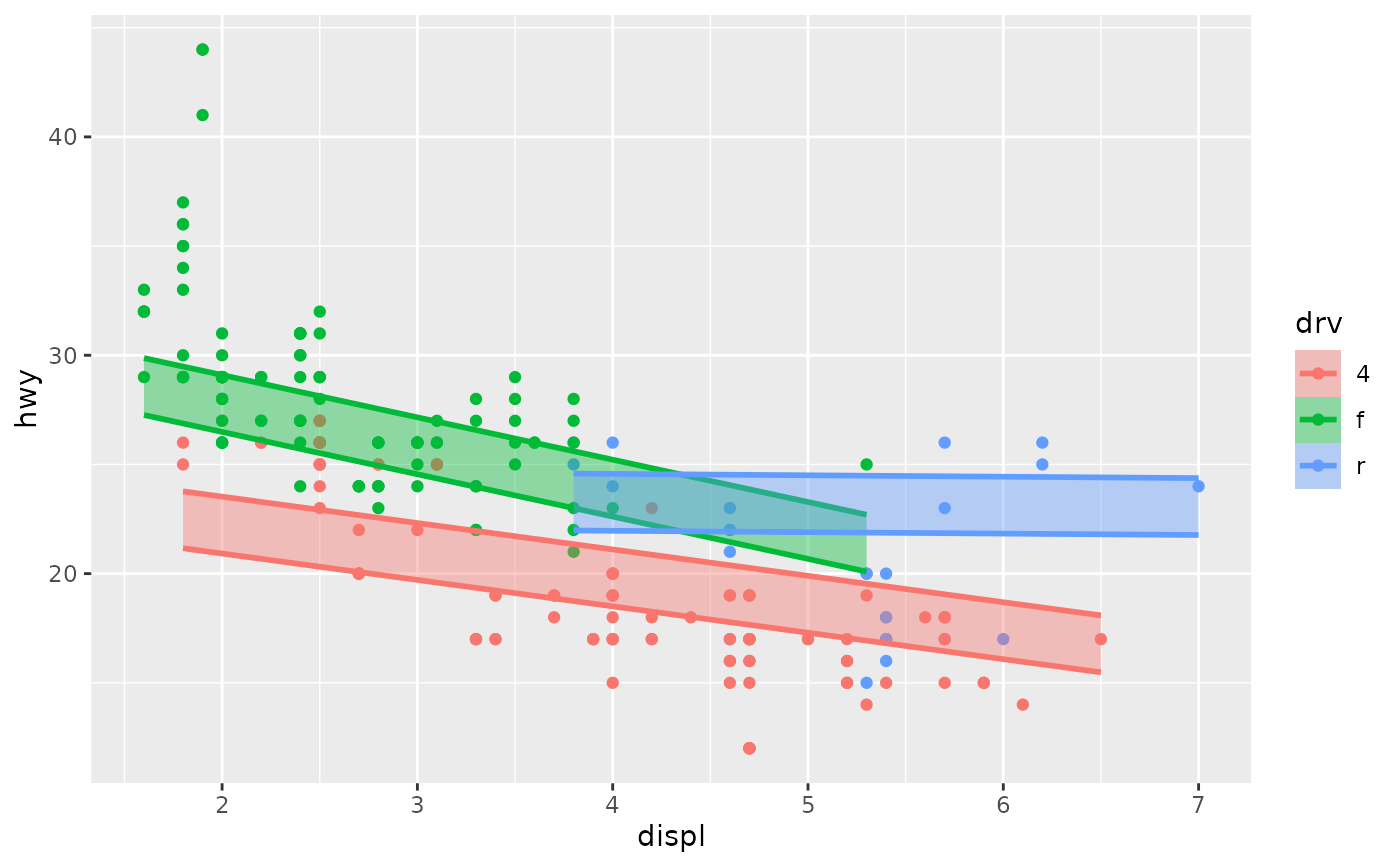
 # A projection band shows the reach of a predictor, here cyl from 5 to 7;
# band = TRUE infers the variable and its data range when it can
model4 <- lm(hwy ~ displ * drv + cyl, data = mpg)
ggplot(mpg, aes(displ, hwy, color = drv)) +
geom_point() +
geom_slice(model4, band = "cyl", predict_vars = list(cyl = c(5, 7)))
# A projection band shows the reach of a predictor, here cyl from 5 to 7;
# band = TRUE infers the variable and its data range when it can
model4 <- lm(hwy ~ displ * drv + cyl, data = mpg)
ggplot(mpg, aes(displ, hwy, color = drv)) +
geom_point() +
geom_slice(model4, band = "cyl", predict_vars = list(cyl = c(5, 7)))
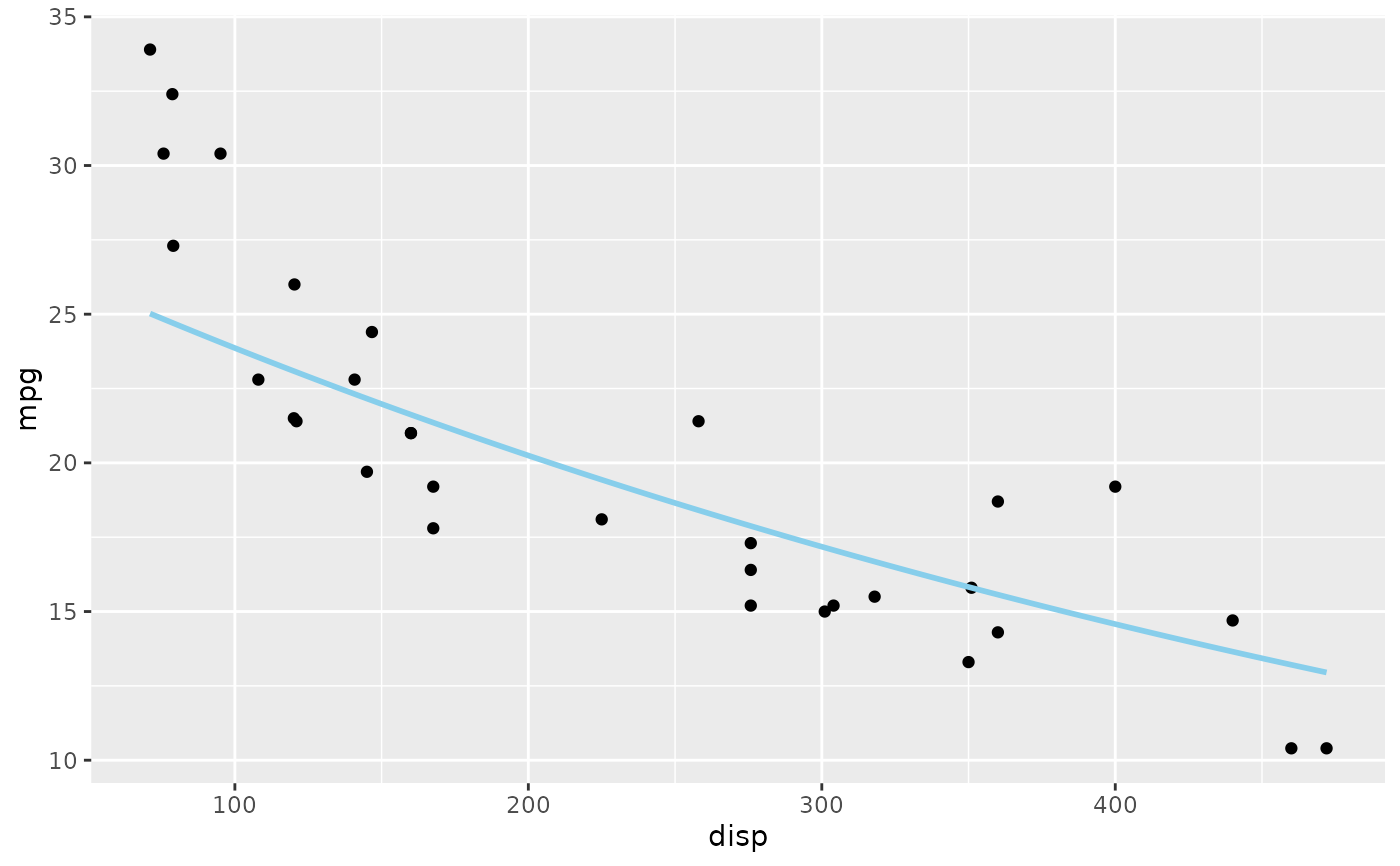
 # A transformed response is back-transformed to match the y-axis: the
# model predicts log(mpg), the line appears in raw mpg units
model5 <- lm(log(mpg) ~ disp + hp, data = mtcars)
ggplot(mtcars, aes(disp, mpg)) +
geom_point() +
geom_slice(model5)
#> Value for `hp` not specified - Used mean: 146.7
#> To choose a slice, use 'predict_vars = list(hp = 146.7)'.
#> Predictions of `log(mpg)` were back-transformed to match the `mpg` axis.
#> To turn this off, use 'back_transform = FALSE'.
# A transformed response is back-transformed to match the y-axis: the
# model predicts log(mpg), the line appears in raw mpg units
model5 <- lm(log(mpg) ~ disp + hp, data = mtcars)
ggplot(mtcars, aes(disp, mpg)) +
geom_point() +
geom_slice(model5)
#> Value for `hp` not specified - Used mean: 146.7
#> To choose a slice, use 'predict_vars = list(hp = 146.7)'.
#> Predictions of `log(mpg)` were back-transformed to match the `mpg` axis.
#> To turn this off, use 'back_transform = FALSE'.
 # ... adapts when the axis itself is transformed
ggplot(mtcars, aes(disp, log(mpg))) +
geom_point() +
geom_slice(model5)
#> Value for `hp` not specified - Used mean: 146.7
#> To choose a slice, use 'predict_vars = list(hp = 146.7)'.
# ... adapts when the axis itself is transformed
ggplot(mtcars, aes(disp, log(mpg))) +
geom_point() +
geom_slice(model5)
#> Value for `hp` not specified - Used mean: 146.7
#> To choose a slice, use 'predict_vars = list(hp = 146.7)'.
 # ... or control the mapping yourself with back_transform
ggplot(mtcars, aes(disp, mpg)) +
geom_point() +
geom_slice(model5, back_transform = exp)
#> Value for `hp` not specified - Used mean: 146.7
#> To choose a slice, use 'predict_vars = list(hp = 146.7)'.
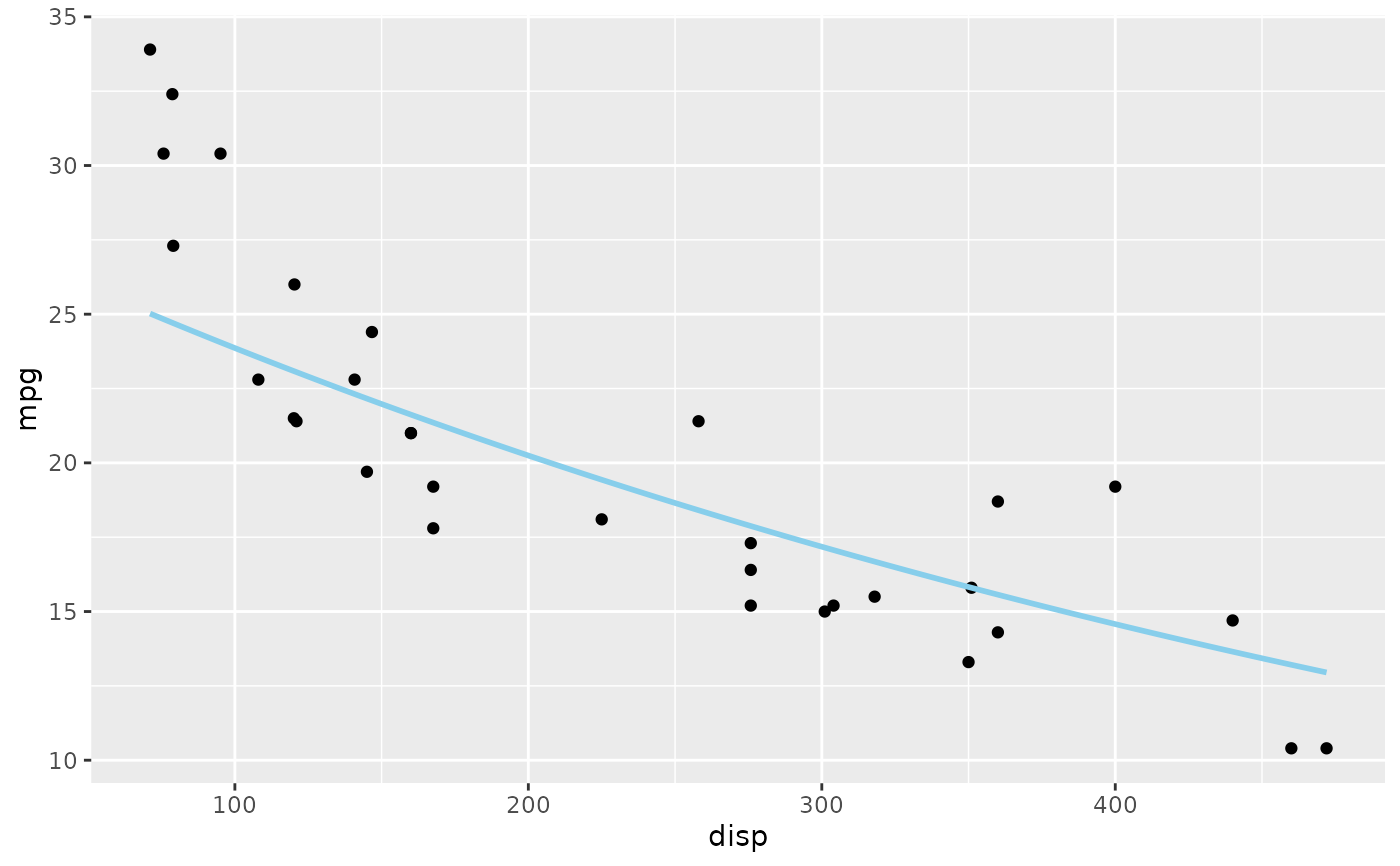
# ... or control the mapping yourself with back_transform
ggplot(mtcars, aes(disp, mpg)) +
geom_point() +
geom_slice(model5, back_transform = exp)
#> Value for `hp` not specified - Used mean: 146.7
#> To choose a slice, use 'predict_vars = list(hp = 146.7)'.
 # n controls how many prediction points make up the line
ggplot(mtcars, aes(disp, mpg)) +
geom_point() +
geom_slice(model5, n = 10)
#> Value for `hp` not specified - Used mean: 146.7
#> To choose a slice, use 'predict_vars = list(hp = 146.7)'.
#> Predictions of `log(mpg)` were back-transformed to match the `mpg` axis.
#> To turn this off, use 'back_transform = FALSE'.
# n controls how many prediction points make up the line
ggplot(mtcars, aes(disp, mpg)) +
geom_point() +
geom_slice(model5, n = 10)
#> Value for `hp` not specified - Used mean: 146.7
#> To choose a slice, use 'predict_vars = list(hp = 146.7)'.
#> Predictions of `log(mpg)` were back-transformed to match the `mpg` axis.
#> To turn this off, use 'back_transform = FALSE'.